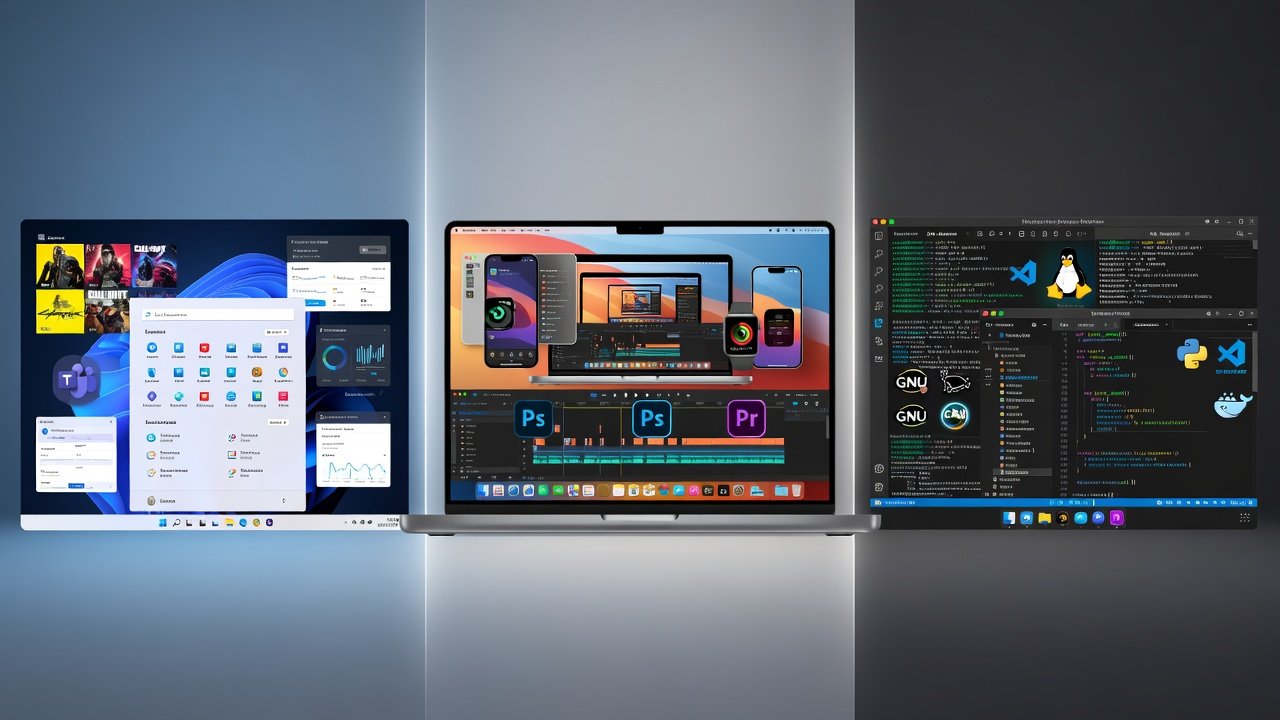
Windows, macOS, and Linux each offer distinct strengths for different users. Windows provides broad software and hardware compatibility, gaming leadership, and strong enterprise tools. macOS delivers polished performance, creative software excellence, and tight Apple device integration. Linux emphasizes customization, zero cost, security, and efficiency for developers and enthusiasts.
The comparison highlights trade-offs in ease of use, gaming, creative work, cost, and customization. No single OS is best for everyone; selection depends on individual priorities such as compatibility, refinement, or flexibility. Modern improvements have narrowed gaps across all three platforms.
Windows vs macOS vs Linux: What Each Operating System Brings to the Table
Choosing an operating system is one of the most important decisions you’ll make when buying a computer. Windows, macOS, and Linux each bring distinct strengths to the table, whether you’re a gamer, creative professional, developer, or everyday user. In this guide, we break down exactly what each platform offers so you can pick the right one for your needs.
Windows: The Versatile All-Rounder
Microsoft Windows remains the world’s most popular desktop operating system, powering over 70% of PCs. Its biggest strength is compatibility. Almost every piece of consumer software, game, and hardware driver is built first for Windows.
What Windows Brings to the Table
- Universal software support — From Adobe Creative Cloud to AAA games on Steam, Windows offers the widest selection of applications.
- Gaming dominance — DirectX, Game Pass, and broad hardware support make it the go-to platform for gamers.
- Business and enterprise tools — Active Directory, BitLocker, and excellent Microsoft 365 integration make it the standard in offices.
- Hardware flexibility — Windows runs on everything from budget laptops to high-end workstations and custom-built PCs.
Recent versions like Windows 11 have improved the interface with better multitasking (Snap Layouts), enhanced security, and deeper integration with Android apps. While Windows has historically been criticized for bloat and occasional instability, modern updates have made it far more polished.
macOS: The Polished Creative Ecosystem
Apple’s macOS is known for its elegant design, rock-solid stability, and seamless integration with other Apple devices. It powers millions of MacBooks, iMacs, and Mac Studios used by professionals worldwide.
What macOS Brings to the Table
- Exceptional build quality and optimization — Apple controls both hardware and software, resulting in excellent battery life and performance.
- Creative industry standard — Final Cut Pro, Logic Pro, and seamless integration with iPhone and iPad make it ideal for video editors, musicians, and designers.
- Privacy and security focus — Features like Gatekeeper, regular security updates, and strong app sandboxing give users peace of mind.
- Unix-based foundation — Developers get a powerful terminal and Unix tools while enjoying a user-friendly interface.
macOS excels in the Apple ecosystem. Features like Universal Clipboard, Continuity, and AirDrop create a fluid experience across devices. However, the higher price of Mac hardware and limited gaming library are trade-offs many users accept for the refined experience.
Linux: The Customizable Open-Source Powerhouse
Linux is more than one operating system—it’s a family of distributions (distros) including Ubuntu, Fedora, and Arch. It powers most web servers, supercomputers, and Android phones, yet remains highly relevant on desktops for enthusiasts and professionals.
What Linux Brings to the Table
- Complete freedom and customization — Change anything from the desktop environment to the kernel itself.
- Zero licensing cost — Completely free to download, install, and distribute.
- Superior server and development environment — Excellent package managers, container support (Docker), and scripting capabilities.
- Lightweight and efficient — Can run smoothly on older hardware that struggles with Windows or macOS.
- Strong privacy and security model — Open-source code allows community auditing, and viruses are rare.
Modern Linux distributions like Ubuntu and Pop!_OS have made great strides in user-friendliness, with app stores and graphical installers. Gaming has also improved dramatically thanks to Proton and Steam Deck. The main challenge remains occasional hardware compatibility issues and a steeper learning curve for non-technical users.
Quick Comparison: Which OS Wins in Key Areas?
| Category | Windows | macOS | Linux |
|---|---|---|---|
| Ease of Use | Excellent | Excellent | Good (improving) |
| Gaming | Best | Good | Improving rapidly |
| Creative Work | Very Good | Best | Good |
| Cost | Medium | Highest | Free |
| Customization | Good | Limited | Best |
| Development | Good | Excellent | Best |
Final Thoughts: Matching the OS to Your Needs
There is no single “best” operating system—only the best one for you. Choose Windows if you want maximum software and game compatibility. Go with macOS if you value polish, battery life, and creative tools. Pick Linux if you prioritize freedom, cost savings, and customization.
Many power users even run multiple systems using dual-boot setups or virtual machines. The good news is that all three operating systems continue to improve, giving users more choices than ever before.
Which operating system are you currently using, and what features matter most to you? Let us know in the comments below.